Hide outline
Share Blog
Blog
Author:
Was this lesson helpful?
Dive Deeper
Generate a follow-up sub-lesson on any aspect of this topic
Git is version control software that runs on your machine. GitHub is a hosted platform built around Git repositories. Learn what each does, how they connect through remotes, and which setup fits your team.
Git and GitHub get used as synonyms, but they solve different problems. Git tracks changes to your code. GitHub hosts those repositories and adds the collaboration layer around them. If you are comparing Git vs GitHub to decide what to learn or adopt, think of Git as the engine and GitHub as the garage where a team parks, inspects, and services the cars.
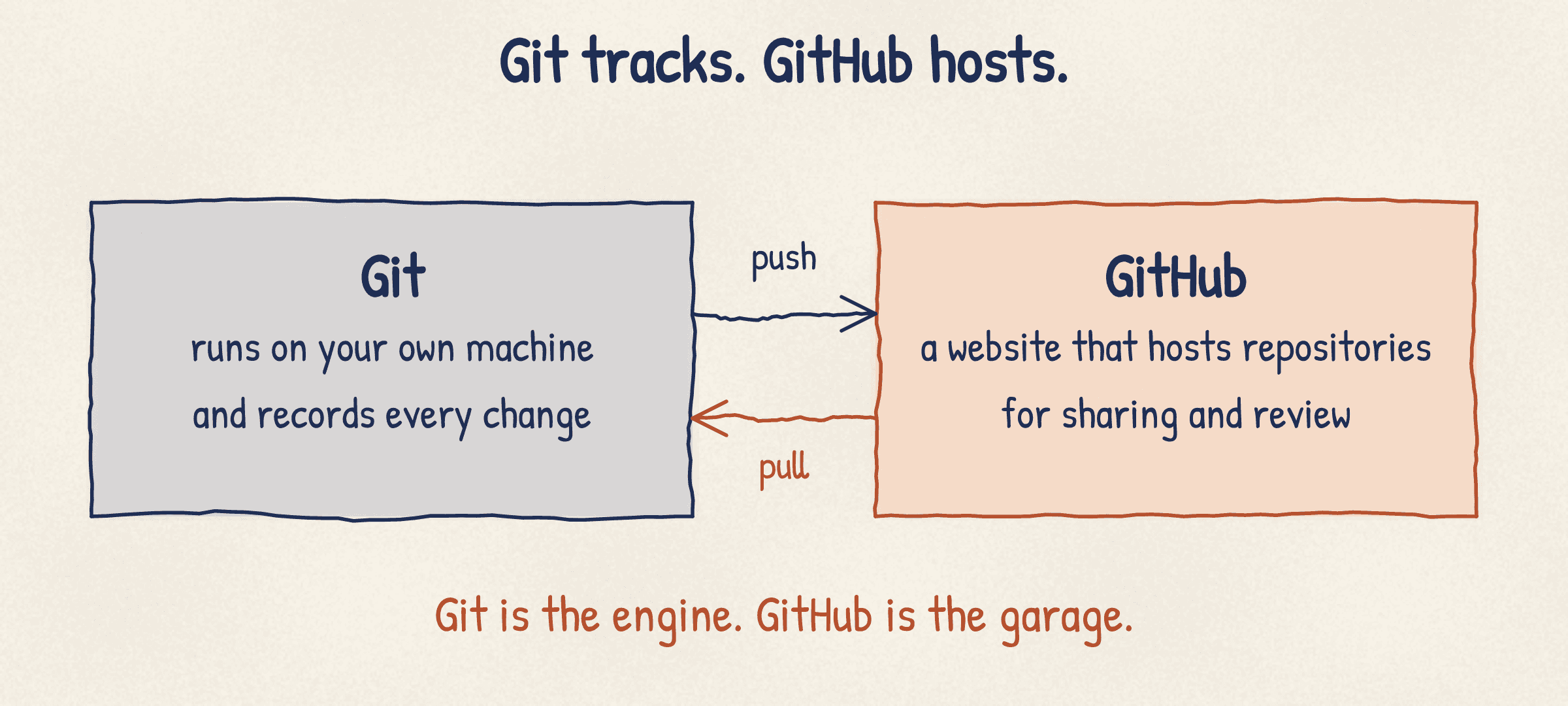
Git is a distributed version control system. It records snapshots of your project as commits, lets you diverge into branches, and combines work through merges. A remote is simply another copy of the repository, reachable by URL, that you can exchange commits with.
Distributed matters because every clone holds the full history. You can commit, branch, diff, and inspect old versions on a plane with no connection, and no single server failure erases the project. The cost is that you must understand how your copy relates to everyone else’s, which is where most merge confusion begins.
GitHub gives Git repositories a shared home plus the workflow features Git deliberately leaves out. Git has no concept of reviewers, tickets, or who may push to what.
Your local repository is a full Git repo on your disk. The GitHub copy is a remote, conventionally named origin. Git does the version tracking, and GitHub is where the shared copy lives.
A typical team loop looks like this. You run git clone once, create a feature branch, and commit locally. Then git push sends the branch to origin, and you open a pull request on GitHub. While you work, git fetch downloads new remote commits without touching your files, and git pull fetches and then merges them in.
git clone https://github.com/acme/shop.git   # once
git switch -c feature/login
git commit -m "Add login form"
git push -u origin feature/login
git fetch origin
git pull
Fetch First Run
git fetchbeforegit pullwhen you are unsure what changed. You can inspect incoming commits before they alter your working branch.
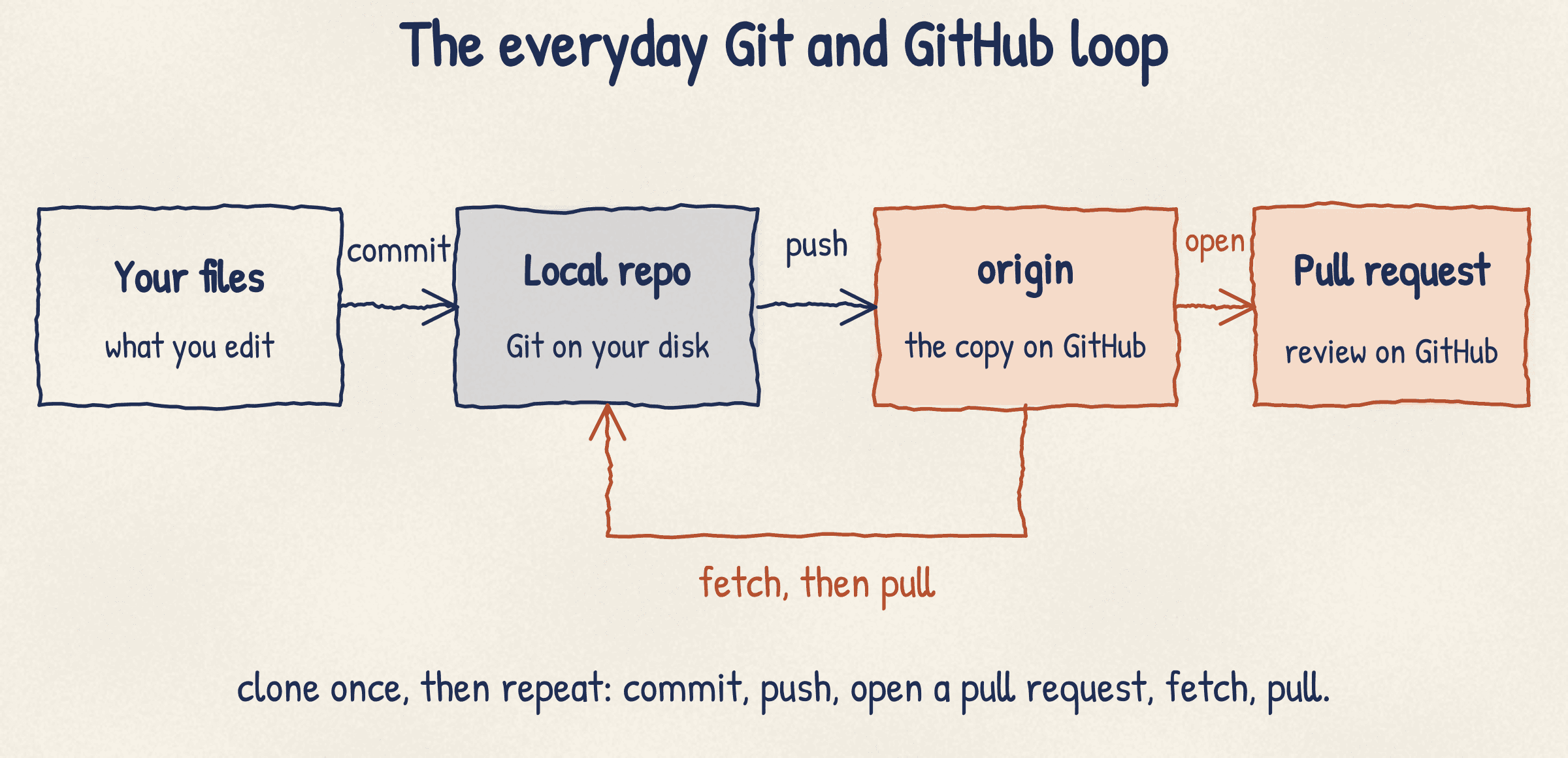
The everyday team loop: clone, branch, commit, push, then fetch and pull.
Git works alone for solo projects, offline work, and private experiments. It also works with other hosts such as GitLab, Bitbucket, or a self-hosted server, which matters when compliance rules keep code in-house. The failure mode is no off-machine backup. A dead laptop with unpushed commits means lost work.
Many people use GitHub through the web editor, issues, and project boards, or through a desktop client, and never touch the command line. That is fine for documentation and light contributions. It breaks down when a merge conflict, a rebase, or a detached history needs fixing, because the interface hides what Git is actually doing.
Match the tool to the constraint, not the habit.
If you are new, learn branch, merge, rebase, stash, and reset next, along with branch protection rules and GitHub Actions. A simple next step is to create a throwaway repository, push it to GitHub, and open a pull request against yourself. Once you have broken and repaired that history once, the line between Git and GitHub stays clear.