Hide outline
Feedback
Blog
Author:
Was this lesson helpful?
Dive Deeper
Generate a follow-up sub-lesson on any aspect of this topic
Learn what REST APIs are and how clients and servers talk to each other. You will understand resources, HTTP methods, requests, status codes, and authentication well enough to read API docs and call an API in a real app.
An API is a set of rules that lets one piece of software ask another for something. A REST API is the most common version on the web, and it works much like ordering from a menu. You don’t need to know how the kitchen runs, only what you can ask for and what you will get back.
Picture a restaurant. You are the customer, the kitchen holds the food, and the waiter carries your order between you. The waiter is the API (Application Programming Interface), a defined way for one program to request something from another without seeing its inner workings. Companies use APIs so that teams and partners can reuse data and features safely.
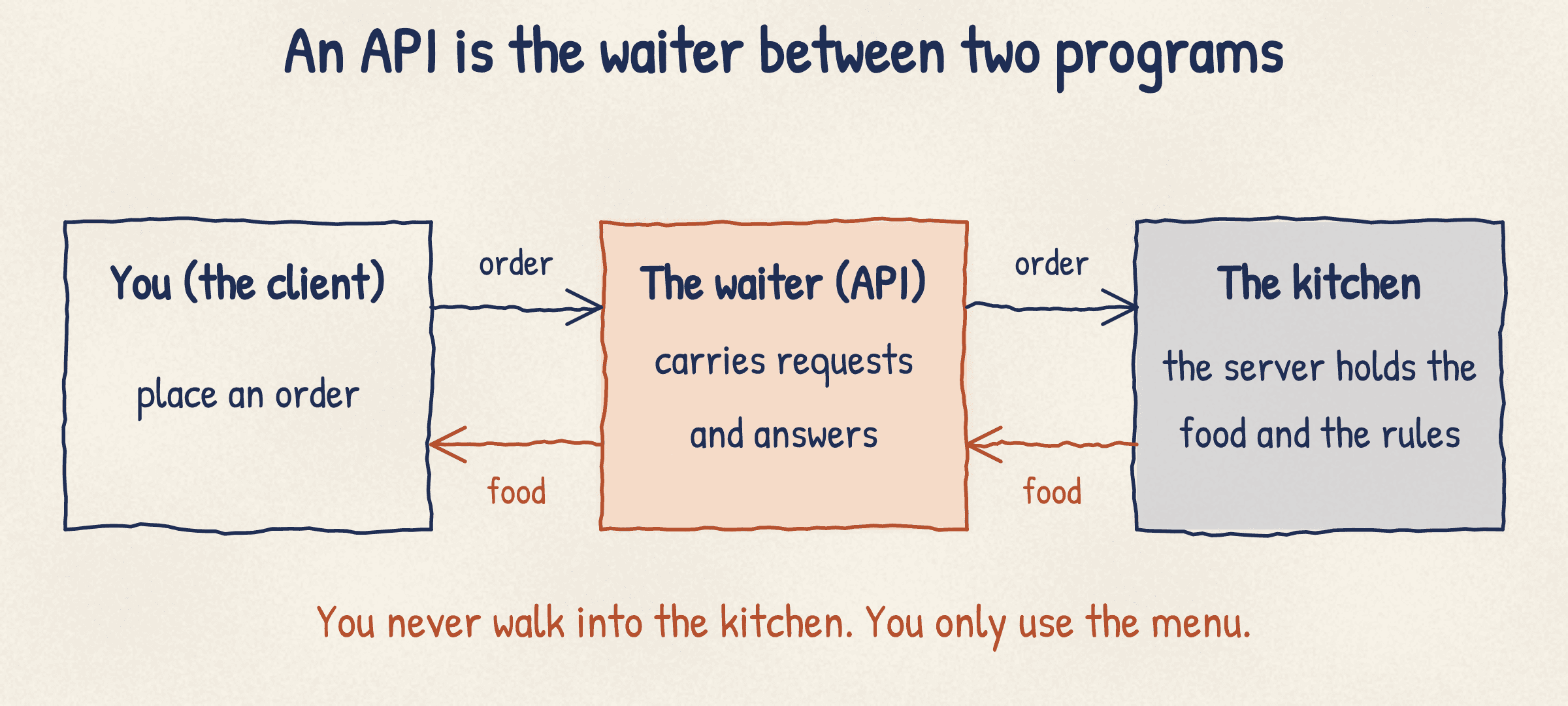
An API carries requests and answers, so you never deal with the kitchen directly.
A user interface is built for people, with buttons and screens. An API is built for programs, with predictable requests and structured replies. The same app often has both, and the screen you tap is quietly calling the API underneath.
The client is whatever asks, such as a browser, a phone app, or another service. The server is the program that receives the request, checks it, looks up or changes data, and sends an answer back. Every exchange follows that same cycle of request and response.
In a typical web app, the frontend never touches the database directly. It calls an API, and the server decides what is allowed. That separation lets you rebuild the website and the mobile app independently while both rely on the same backend.
Two Different JobsThe client handles presentation. The server handles rules and data. APIs are the contract between them.
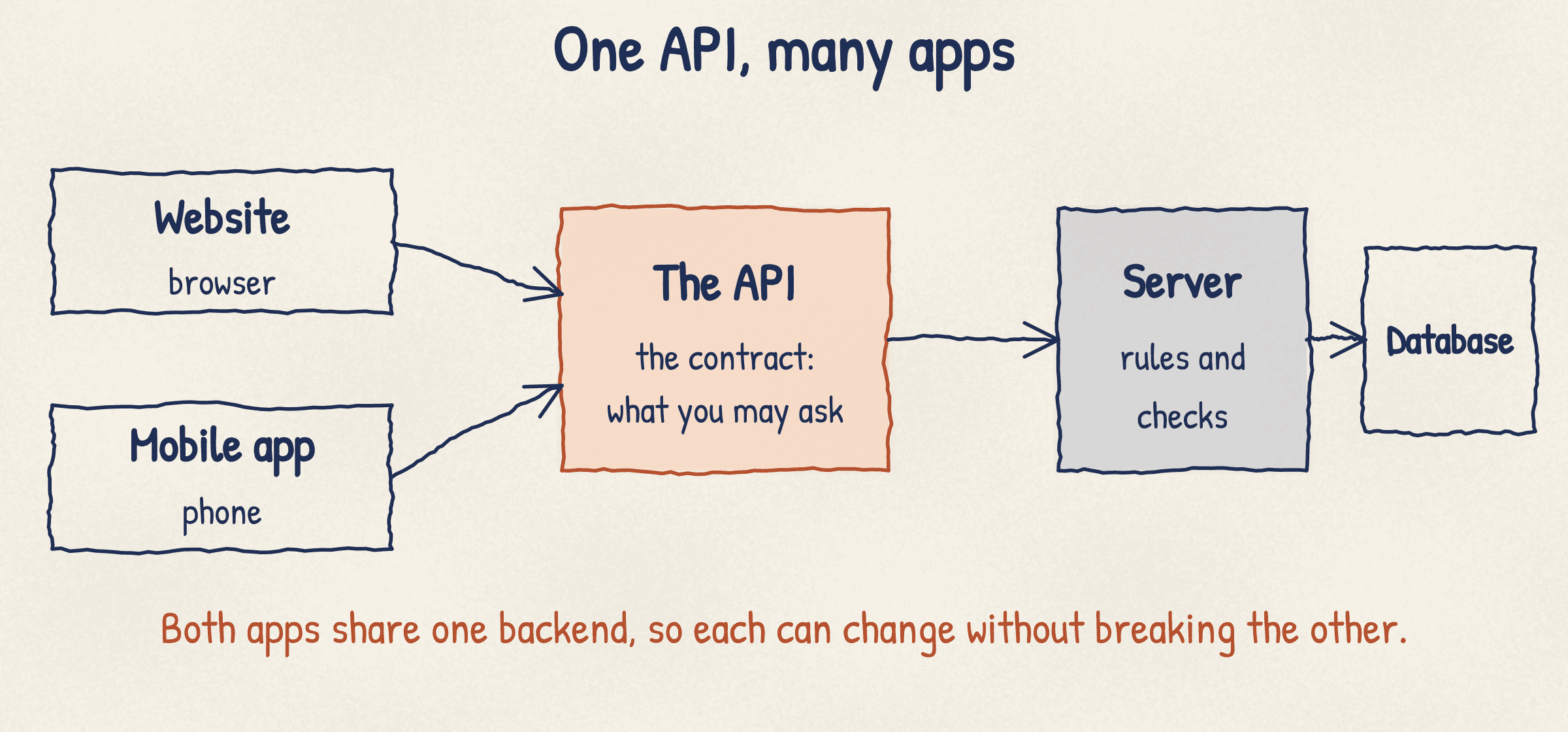
One API can serve a website and a mobile app at the same time.
REST (Representational State Transfer) is a style for designing APIs around resources, which are the things your system stores, like users, orders, or products. Name them with nouns, not actions. Use /orders, not /getOrders.
An endpoint is the URL where a resource lives. /orders points to the whole collection, while /orders/42 points to one single order. Think of the first as a filing cabinet and the second as one folder inside it. Nesting such as /users/7/orders shows that orders belong to a particular user.
The URL says what you are talking about. The HTTP method says what you want to do with it. Following the conventions makes an API predictable for anyone who uses it.
The main mistake to avoid is using GET for anything that changes data. Browsers, caches, and search crawlers assume GET is safe to repeat, so a delete hidden inside one can cause real damage.
A request has a few parts. The headers carry metadata, like Content-Type: application/json or credentials. Query parameters sit after a question mark in the URL and filter results, as in /orders?status=shipped&limit=10. The body carries data you send, usually as JSON.
{
  "productId": 17,
  "quantity": 2
}
The server replies with its own headers, a status code, and often a JSON body, such as the new order with its assigned id. JSON is just labeled values in curly braces, so you can read it much like a form.
A status code is a three-digit number summarizing what happened. The first digit tells you the category. Here are the ones that matter most, with a reaction for each.
200 and 201: success, and 201 means something was created.400: your request was malformed, so fix the data you sent.401 and 403: not logged in, or logged in but not allowed.404: the resource does not exist, so check the URL and ID.409: a conflict, such as creating something that already exists.429: too many requests, so slow down and retry later.500: the server failed, which is not your fault, so retry or report it.Most APIs need to know who is calling. An API key is a long secret string sent with each request, simple and good for identifying an application. A bearer token is a temporary credential, often tied to a specific user, sent in the header as Authorization: Bearer <token>. Tokens expire, which limits the damage if one leaks.
OAuth is how you let an app act on your behalf without handing over your password. Think of a hotel key card. The front desk gives the card access to your room only, for a limited time, and you can cancel it anytime. Whatever method you use, keep secrets out of frontend code and public repositories, and store them in environment variables.
In practice you call an API with a tool such as fetch in JavaScript or curl on the command line.
Always check the status before using the data, and show helpful messages for failures. Large collections arrive in pagination, meaning pages of results you request one at a time with parameters like page or limit. Many APIs also enforce rate limits, so when you receive 429, wait before retrying.
Your next step is small. Pick a free public API, send a GET request in your terminal, and read the JSON that comes back. Once you can do that, every other API follows the same pattern.
Call the API with fetch, check the status, then read the JSON.